

Quiz gating attaches questions to a video and enforces the result. Pass, and the video is complete. Fail too many times, and the video locks until it has been watched again.
Requires TruePlayer Pro.
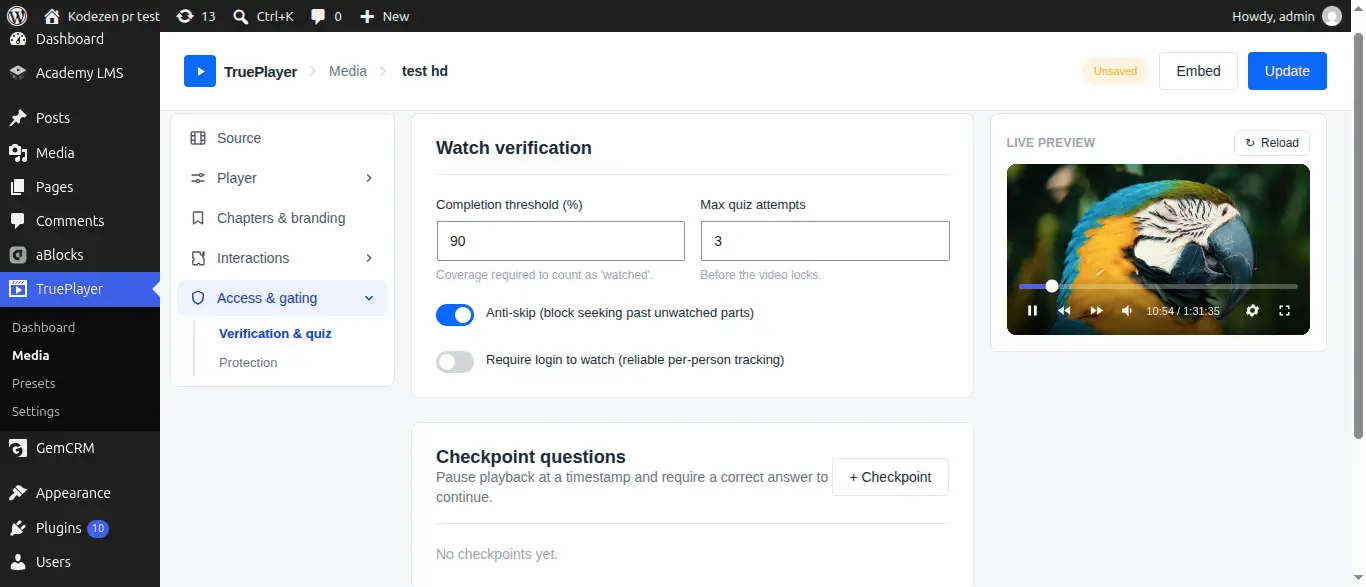
Find it at: Media item → Access & gating → Verification & quiz
What Quiz Gating Does
Watch verification proves the video played. Quizzes prove someone was paying attention.
Together they give you something most course tools cannot: a completion record that actually means something.
Answers never reach the browser. Grading happens on your server. The visitor’s browser only ever receives the questions — never the answer key — so there is nothing to find in the page source, no matter how technical the viewer is.
Checkpoint Questions vs Final Quiz
|
Checkpoint |
Final quiz |
|
|
When it appears |
At a time you choose, partway through |
At the end |
|
What it does |
Pauses the video, asks, then continues |
Decides whether the video is complete |
|
Typical use |
Keep attention through a long video |
Certify understanding |
|
How many |
As many as you like |
One |
Add Checkpoint Questions
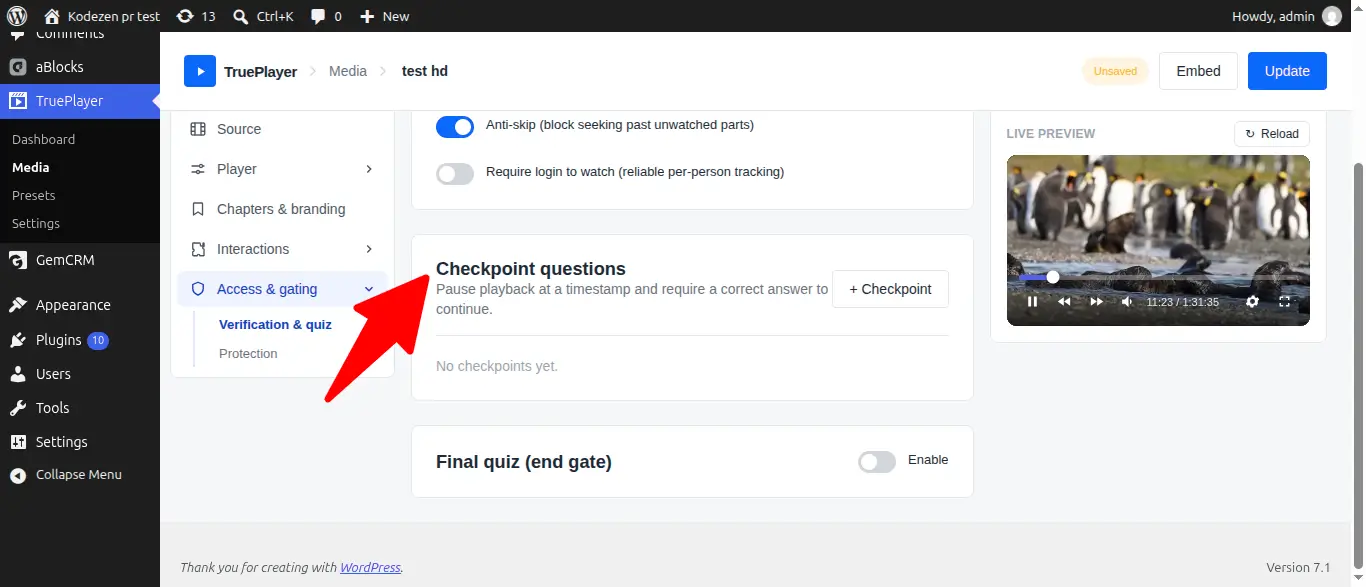
Step 1: Open the Gating Section
Open your media item → Access & gating → Verification & quiz, and find Checkpoint questions.
Step 2: Add a Checkpoint
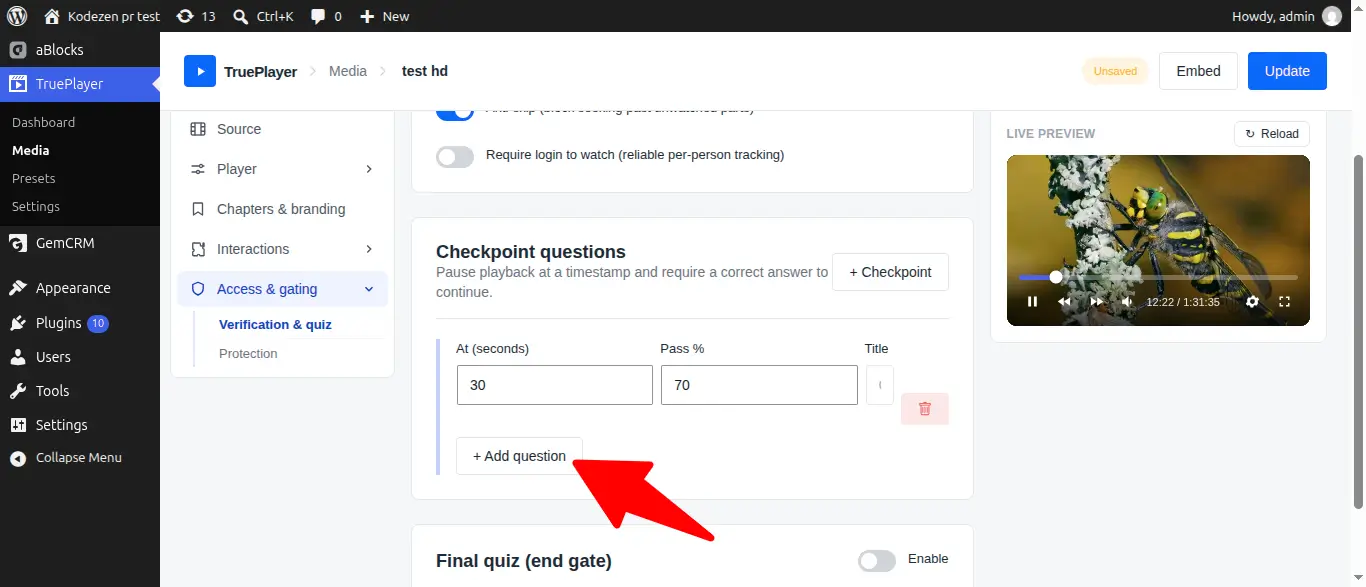
Click Add checkpoint and set:
|
Field |
What it means |
|
At (seconds) |
When the video pauses to ask |
|
Pass % |
The score needed to continue |
|
Title |
A heading shown above the questions, e.g. “Quick check” |
Step 3: Add Questions
For each question, choose a type and fill it in:
- Multiple choice — write the options, then select the correct one
- True / False — pick the correct answer
Step 4: Save
Click Save. The checkpoint now fires at that timestamp for every viewer.
Placing checkpoints well. Put them just after something important, not at round numbers. A question at 4:32 immediately after a key explanation works far better than one at 5:00 that lands mid-sentence.
Add a Final Quiz
Step 1: Enable It
In the Final quiz (end gate) section, turn on Enable.
Step 2: Configure It
|
Field |
What it means |
|
Title |
A heading shown above the quiz |
|
Pass % |
The score needed to pass |
Step 3: Add Your Questions
Same as checkpoints — multiple choice or true/false.
Step 4: Save
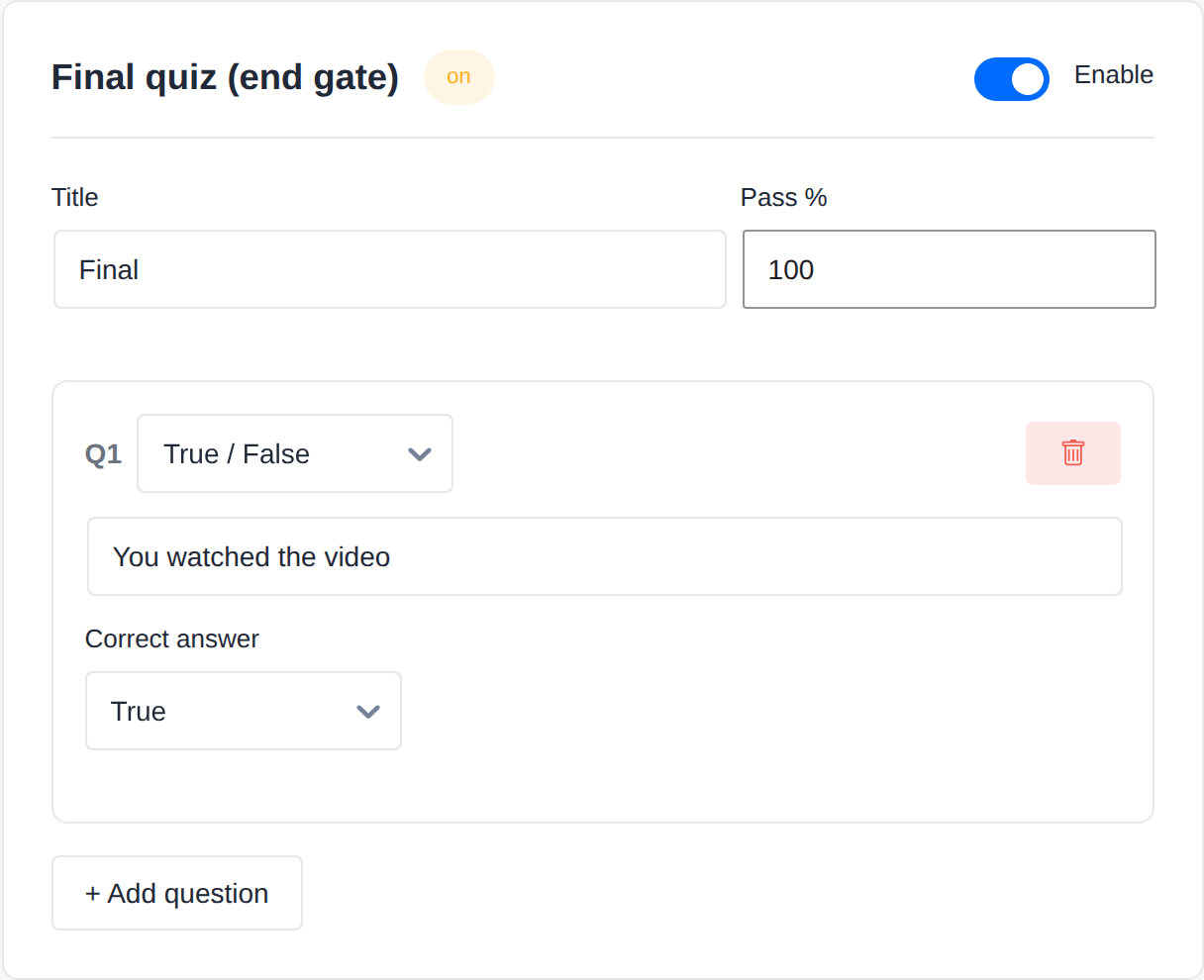
Once a final quiz exists, passing it is what completes the video. Reaching the coverage threshold alone is no longer enough — which is exactly the point.
What Happens When Someone Fails
Each failure uses up one attempt. When attempts run out:
Viewer fails the final attempt
↓
Video LOCKS
↓
Their watch progress resets to 0%
↓
They must watch it again, properly, to reach the threshold
↓
Reaching the threshold earns them a fresh set of attempts
↓
They can try the quiz again
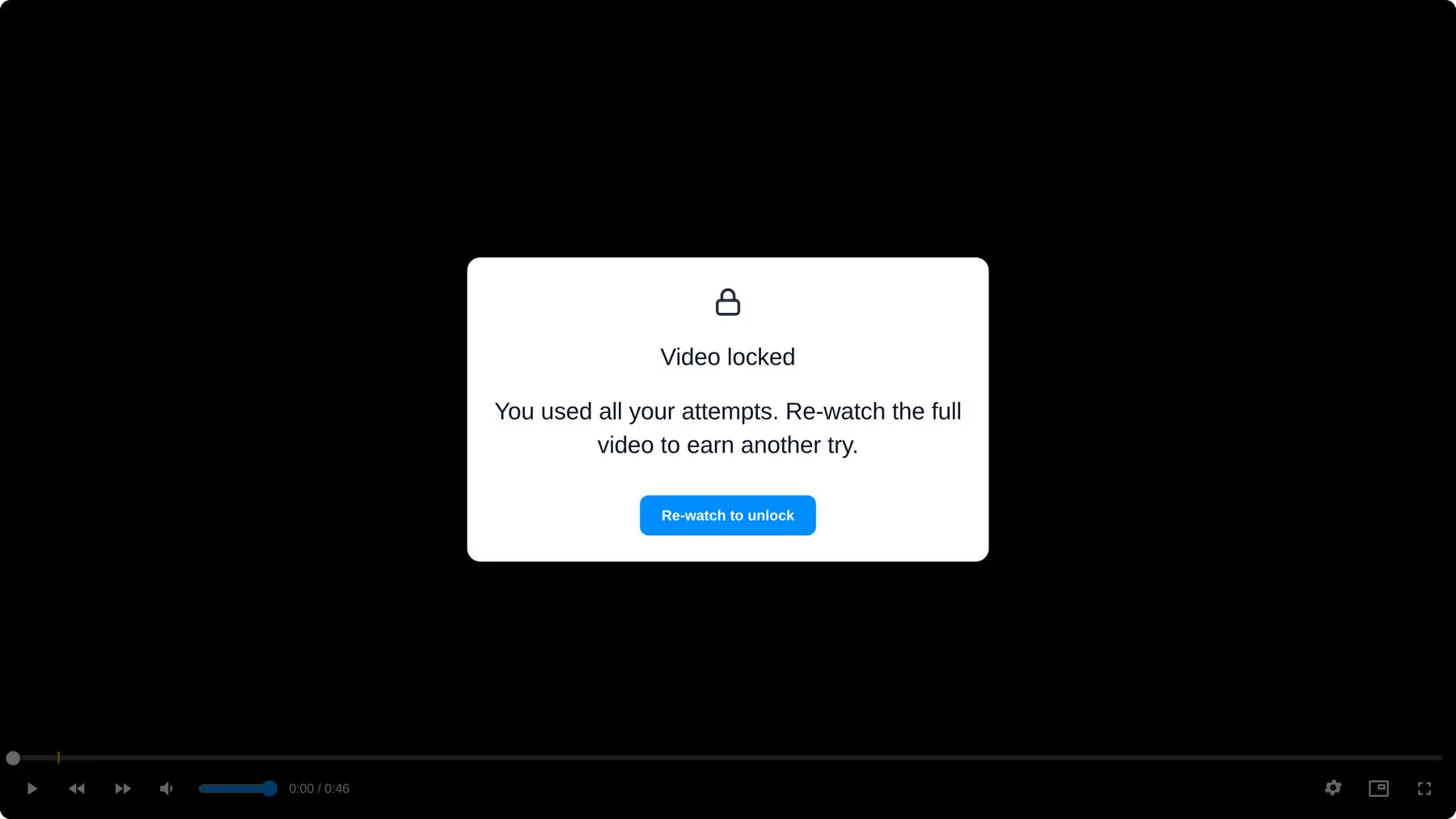
Locking does not block playback. The viewer can still play the video — that is the whole point. What they cannot do is keep guessing at the quiz. They have to go back through the material first.
This is the loop that makes guessing pointless: a viewer who does not know the answer cannot brute force it, because every round of guesses costs them a full re-watch.
Unlocking a Viewer
Sometimes someone genuinely deserves a fresh start.
- Open the video’s Analytics.
- Find the viewer in the table.
- Click Reset / unlock.
This clears their progress and attempts, and they start clean.
Frequently Asked Questions
Can viewers see the correct answers in the page source?
No. Answers stay on your server. The browser only ever receives the questions.
What question types are supported?
Multiple choice and true/false.
Can I require a 100% score?
Yes — set Pass % to 100.
How many attempts should I allow?
3 is the default and works for most content. Use 1 or 2 for high-stakes certification, where guessing should be expensive.
Does a checkpoint failure lock the video too?
Yes — checkpoints and the final quiz share the same attempt budget and the same lock behaviour.
Can I see individual answers?
Analytics shows each viewer’s attempts, scores and pass/fail results.
What if someone genuinely can’t pass?
Use Reset / unlock in Analytics, or reconsider whether the questions are answerable from the video alone. A question that isn’t covered in the material will fail everyone.
Does a locked viewer lose access to my whole course?
No. Locking is per video.