


Webhooks are how TruePlayer tells your other tools what happened, automatically and instantly.
Requires TruePlayer Pro.
What a Webhook Is
A webhook is a web address you give TruePlayer. Whenever something notable happens — someone finishes a video, passes a quiz, gets locked out — TruePlayer sends the details to that address.
You don’t need to understand the mechanics. Tools like Zapier and Make give you an address to paste in, and from there you build whatever automation you like:
- When someone completes the safety video → add them to the “certified” list and email their manager
- When someone fails a quiz twice → notify the course instructor
- When someone reaches 50% of the sales video → create a lead in the CRM
- When someone opts in inside the player → add them to a nurture sequence
The Events You Can Send
|
Event |
Fires when |
|
view.started |
A real viewing session begins |
|
progress.milestone |
A viewer passes 25%, 50%, 75% or 100% |
|
view.completed |
A viewer genuinely completes the video |
|
checkpoint.passed |
A checkpoint quiz is passed |
|
checkpoint.failed |
A checkpoint quiz is failed |
|
quiz.passed |
The final quiz is passed |
|
quiz.failed |
The final quiz is failed |
|
video.locked |
A video locks after too many failures |
|
video.unlocked |
A locked viewer re-watches and earns a new attempt |
|
subscriber.added |
Someone submits an in-player opt-in |
view.started fires on genuine playback, not merely on page load — so it reflects real views.
Add a Global Webhook
Global webhooks receive events from every video on your site.
Step 1: Open the Settings
Go to: TruePlayer → Settings → Global webhooks
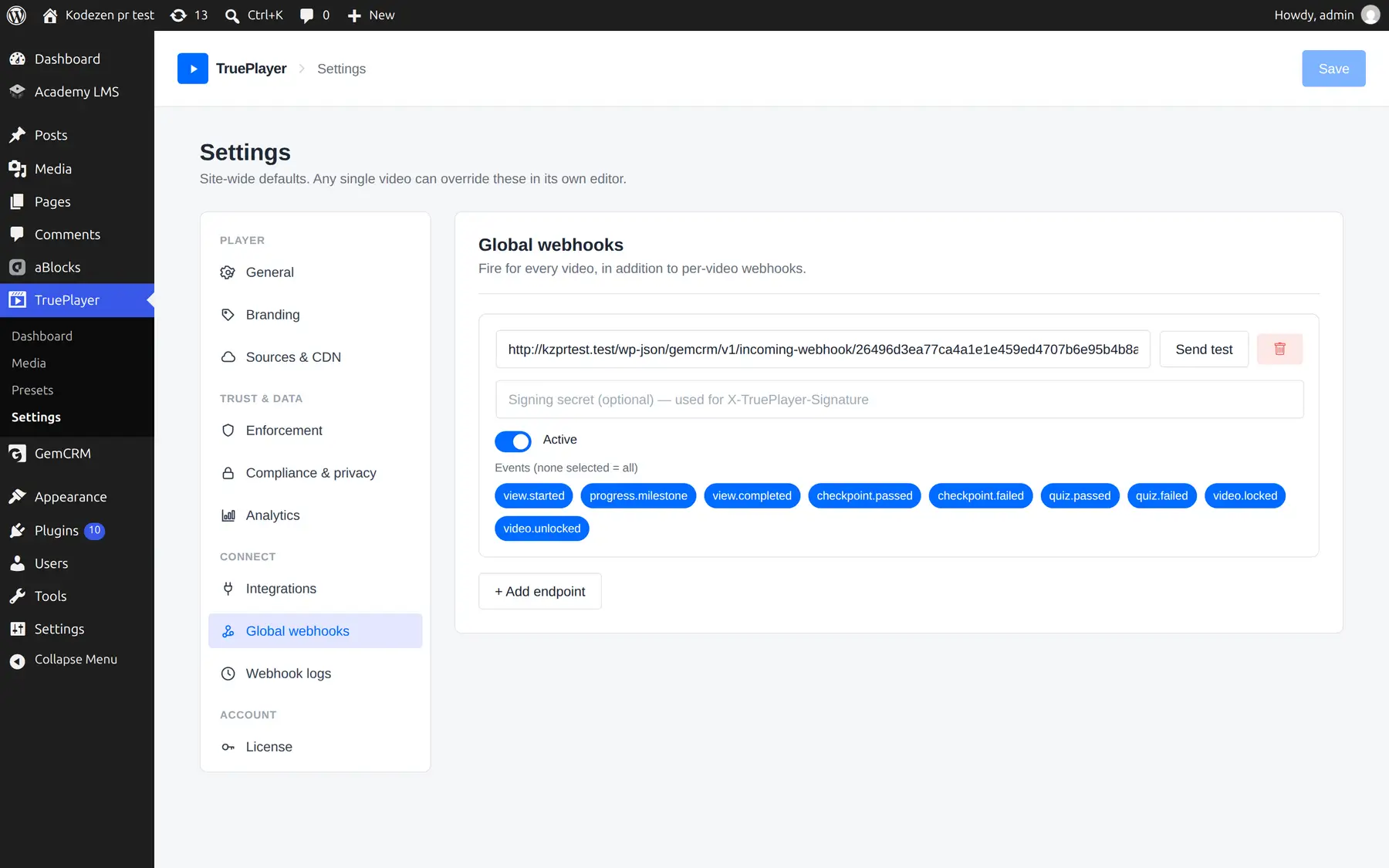
Step 2: Add an Endpoint
Click Add webhook and fill in:
|
Field |
What to enter |
|
URL |
The address from Zapier, Make, or your own system |
|
Secret |
Any hard-to-guess string. Used to prove the request came from you |
|
Events |
Tick the events you want. Leave empty to send all of them |
|
Active |
Turn an endpoint off without deleting it |
Step 3: Save
Click Save.
Add a Webhook to One Video
If you only want events from one specific video, add the endpoint on the video itself:
Open the media item → Interactions → Webhooks
The fields are identical. Per-video webhooks are sent in addition to your global ones.
Send a Test
Before you rely on an automation, confirm the other end is receiving properly.
- Click Send test next to your endpoint.
- Check the receiving tool for the sample delivery.
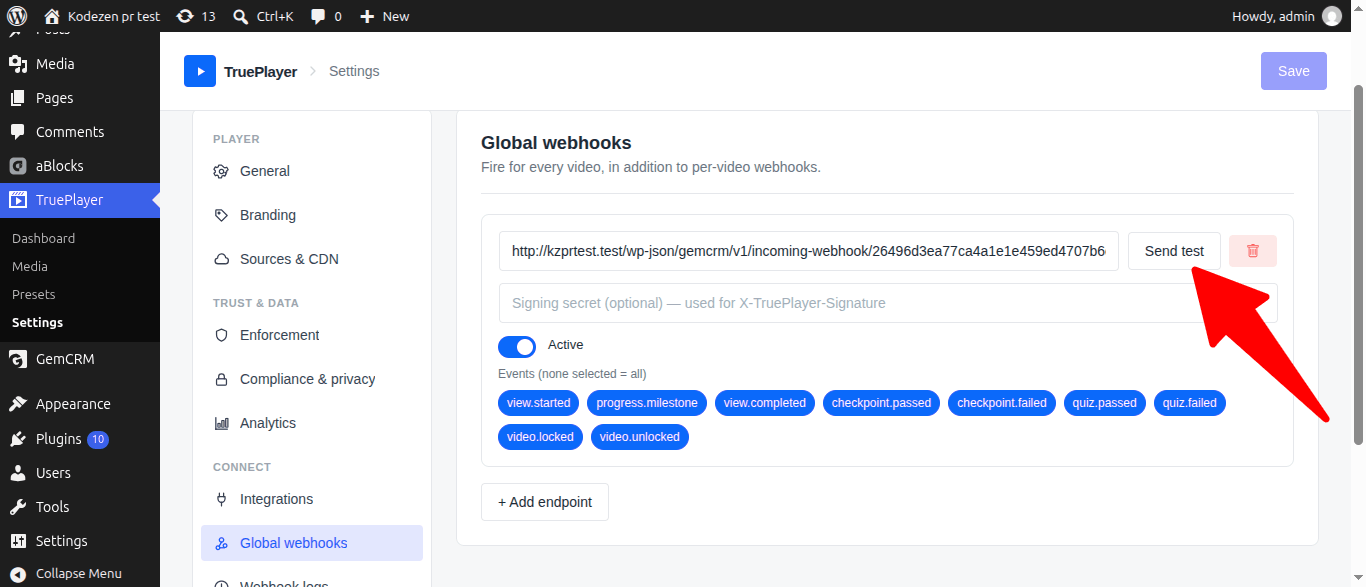
The test sends a payload in exactly the same shape as real traffic. A test that passes really does mean real events will be accepted — it isn’t a simplified stand-in.
Webhook Logs
Go to: TruePlayer → Settings → Webhook logs
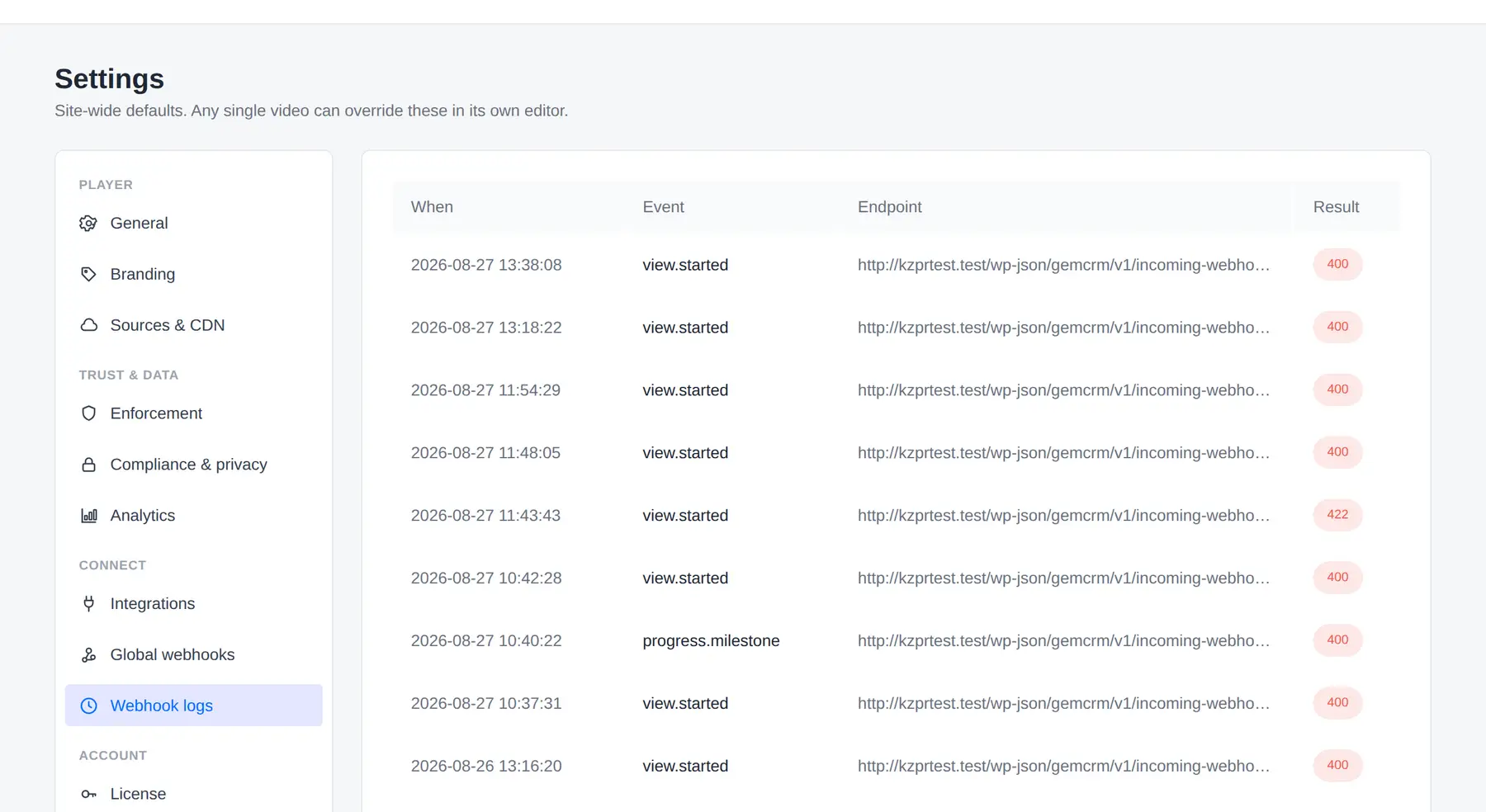
Every delivery attempt is recorded:
|
Column |
Shows |
|
When |
The time of the attempt |
|
Event |
Which event was sent |
|
Endpoint |
Where it went |
|
Result |
Success, or the error — including what the receiving service replied |
That last part matters. When an endpoint rejects a delivery, the reply usually says exactly why — “required field missing”, “invalid token” — which turns a mystery into a five-second fix.
What the Data Looks Like
Each delivery carries the event details in a standard structure:
{
“event”: “view.completed”,
“video_id”: 123,
“video_title”: “Safety Induction”,
“email”: “[email protected]”,
“name”: “Ada Lovelace”,
“subject”: {
“type”: “user”,
“id”: “42”,
“email”: “[email protected]”,
“name”: “Ada Lovelace”
},
“coverage_percent”: 94.5,
“timestamp”: “2026-08-26T12:00:00Z”,
“site”: “example.com”
}
Quiz events also include the score, whether it passed, and which attempt it was.
The viewer’s email and name appear at the top level as well as inside the subject, because most automation tools expect to find them there.
Verifying it really came from you. Each request includes a signature built from your secret. If your receiving tool supports signature checking, it can confirm the delivery is genuine. Zapier and Make don’t require this — it is there for custom systems that want it.
Frequently Asked Questions
Do I need to be technical to use webhooks?
No. Zapier or Make gives you an address, you paste it in, and you build the automation with their visual editor.
What if my endpoint is slow or down?
Deliveries are sent in the background, so a slow endpoint never delays playback for your viewers.
Can I send different events to different places?
Yes. Add several endpoints, each subscribed to the events it cares about.
Do webhooks fire for anonymous guests?
Yes, but with no email or name, since there is none to send. Use Require login to watch if your automation needs identifiable people.
Can I resend a failed delivery?
Check the logs to see what went wrong. Once the endpoint is fixed, subsequent events deliver normally.
Does a per-video webhook replace my global one?
No. Both fire.
Is there a limit on how many endpoints I can add?
No practical limit.